Applies To: SharePoint
A common requirement/feature of sites is to have a Frequently Asked Questions (FAQ) section. This is a quick and easy way to provide help to end users. A FAQ is nothing more than a series of questions with their answers.
This can be implemented in a variety of ways but the standard way is to have the question above the answer all on a single page. This isn’t always the best way, but it’s certainly the most common and recognizable way.
Fortunately SharePoint makes this really easy using a custom list and only takes about 5 minutes to setup. This can be done in SharePoint 2007 or 2010 in both MOSS/Server and WSS/Foundation. Here’s the steps:
- Create a custom list. Name it FAQ or something.
- Edit the Title column and rename it Question.
- Add a new Column of type Multi-Line Text and name it Answer
- Modify the default view to only show those 2 columns and set the style to Newsletter.
That’s it! You end up with something like this:
|
|
|
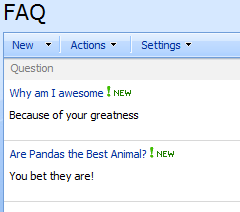
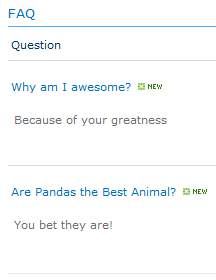
You can then place this on a page using a ListView Web Part or just link directly to the main view. WOWEE!
 The Chris Kent