Applies To: SharePoint 2010
In getting ready to create a new web application for our SharePoint farm I realized the default web application name of “SharePoint – 80” wasn’t very descriptive and I’d like to change it. If you’re reading this, then you probably already went through all the possible settings in Central Admin just like I did only to find this isn’t an option.
Fortunately, this can all be done through Powershell very quickly:
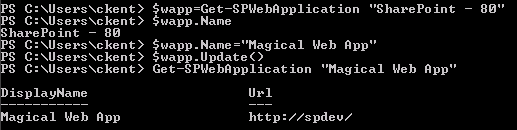
$wapp = Get-SPWebApplication "SharePoint - 80"
$wapp.Name = "Magical Web App"
$wapp.Update()
This can be written up in a script, or you can just type the lines just like above changing the names as makes sense. To verify the update was successful just use this command:
Get-SPWebApplication "Magical Web App"
You should see your new name listed with the url of your web application:
You can also check this in Central Administration under Application Management > Manage web applications:
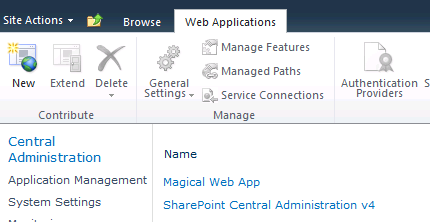
Everything is good to go. However, this will not change the IIS website names or application pools. This takes more work than I was willing to do and I didn’t really care about that, so you’ll have to find that information elsewhere. But if you’re like me, this should be all you need!
 The Chris Kent